Healthy Status, Empty Page: The False Positives Hiding in Your Uptime Reports
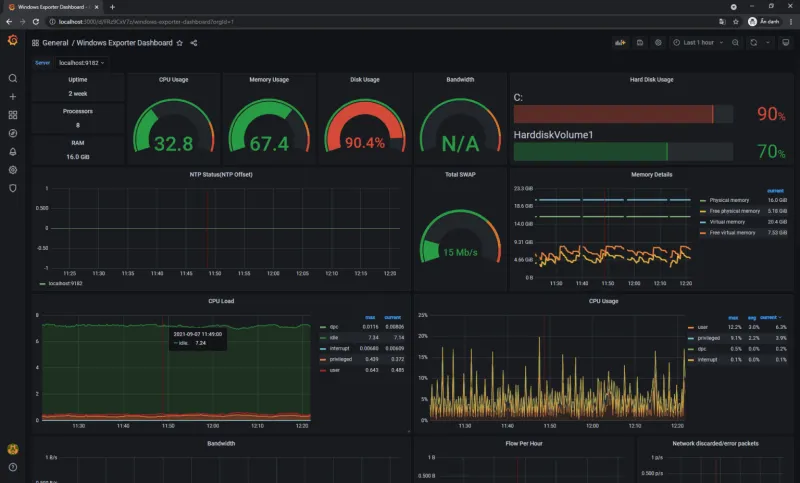
Photo: server monitoring dashboard screen with green status lights, via nois.vn
Every monitoring dashboard has a blind spot, and it's shaped exactly like an HTTP 200. The status code says the page loaded. The server says everything is fine. Meanwhile, your visitor is staring at a blank content area, a stripped-down error template, or a search results page apologizing for finding nothing. The transaction completed; the product didn't arrive.
These are the false positives that status-code monitoring was never designed to catch, and they matter more than most webmasters realize. Google's own guidance on soft 404s makes clear that a 200 response with no meaningful content is treated — eventually — as a page that doesn't exist. Your rankings don't wait for your dashboard to agree.
The Anatomy of a Lie
Soft 404s come in more varieties than most teams budget for. The classic case is a CMS that serves its standard template with a "Sorry, no results found" message when a product is discontinued or a blog post is deleted. The status code never changes. The content weight collapses.
Then there's the blank page: a JavaScript application whose data fetch fails silently, leaving the shell rendered but nothing inside it. A crawler that doesn't execute the render — or executes it before the fetch times out — sees a valid document. A human sees white space.
A third flavor is subtler: the cloaked error state. An application catches an exception, logs it, and renders the homepage layout with an empty body rather than surfacing a 500. From the outside, everything is operational. From the inside, the page is dead weight in your index, diluting crawl budget and frustrating anyone who arrives from search.
Why Status Codes Alone Underreport Failure
A status code answers exactly one question: did the server process the request? It says nothing about whether the response contained a product description, an article body, or a wall of boilerplate nav with a one-line apology in the middle.
This gap shows up in real audits with uncomfortable regularity. Pull a sample of URLs returning 200 from a mid-size e-commerce catalog and it's common to find a meaningful percentage — often in the range of a few percent — serving fewer than 100 words of unique content. Multiply that across a 50,000-page catalog and you're devoting a substantial slice of crawl budget to pages that will never rank and quietly telling Google your site is lower quality than your link profile suggests.
Pairing Status Checks with Content Signals
Closing the gap requires monitoring what's in the response, not just whether the response arrived. Three checks cover most of the ground:
Content weight baselining. Record the byte size of each page's HTML when it's known to be healthy. When a page that normally ships 40KB of markup suddenly delivers 6KB, that's a soft failure regardless of the status code. Alert on significant deviations from the baseline — a 70% drop is rarely a redesign.
Rendered-text verification. Fetch the page, render it in a headless browser, and extract the visible text. Compare against a minimum threshold and against the previous snapshot. A product page that renders 12 words of unique content after a deploy has a problem the status code will never report.
Selector presence checks. For templated pages, verify that the primary content container actually populated. If your product detail page's price element or your article's body node is empty, the page is functionally broken even if the document parses cleanly.
Run these checks on a schedule aligned with your crawl frequency. A daily content-weight sweep across your top few thousand URLs is cheap, and it catches the slow rot — the plugin update that empties a template, the API key that expired, the JavaScript error that shipped on a Friday.
Closing the Loop
Once detection works, triage matters. A soft 404 should usually become an explicit 404 or 410, or redirect to a relevant live page — whichever matches user intent. Blank render failures need an application fix, not an SEO workaround. And your monitoring should distinguish between "server down," which warrants a page, and "server up, page worthless," which warrants a different alert routed to whoever owns the template.
Status codes remain the foundation of uptime monitoring. They just can't be the whole building. A page that answers "yes" to every ping while saying nothing to its visitors isn't healthy — it's merely quiet. Watch the content, not just the code, and the lies stop making it into your reports.